① The number is printed on the back of the box that contained your smartphone.
② Open the phone dialer and enter “*#06#” to display your EID and IMEI numbers.
③ You can also check your EID and IMEI numbers in your smartphone’s Settings.
▼ For Android devices
Go to “Settings” → “More” or “Wireless & Networks” → “SIM information settings,” then check the information from the menu.
▼ For iOS devices (iPhone)
Go to “Settings” → “General” → “About” to check the information.
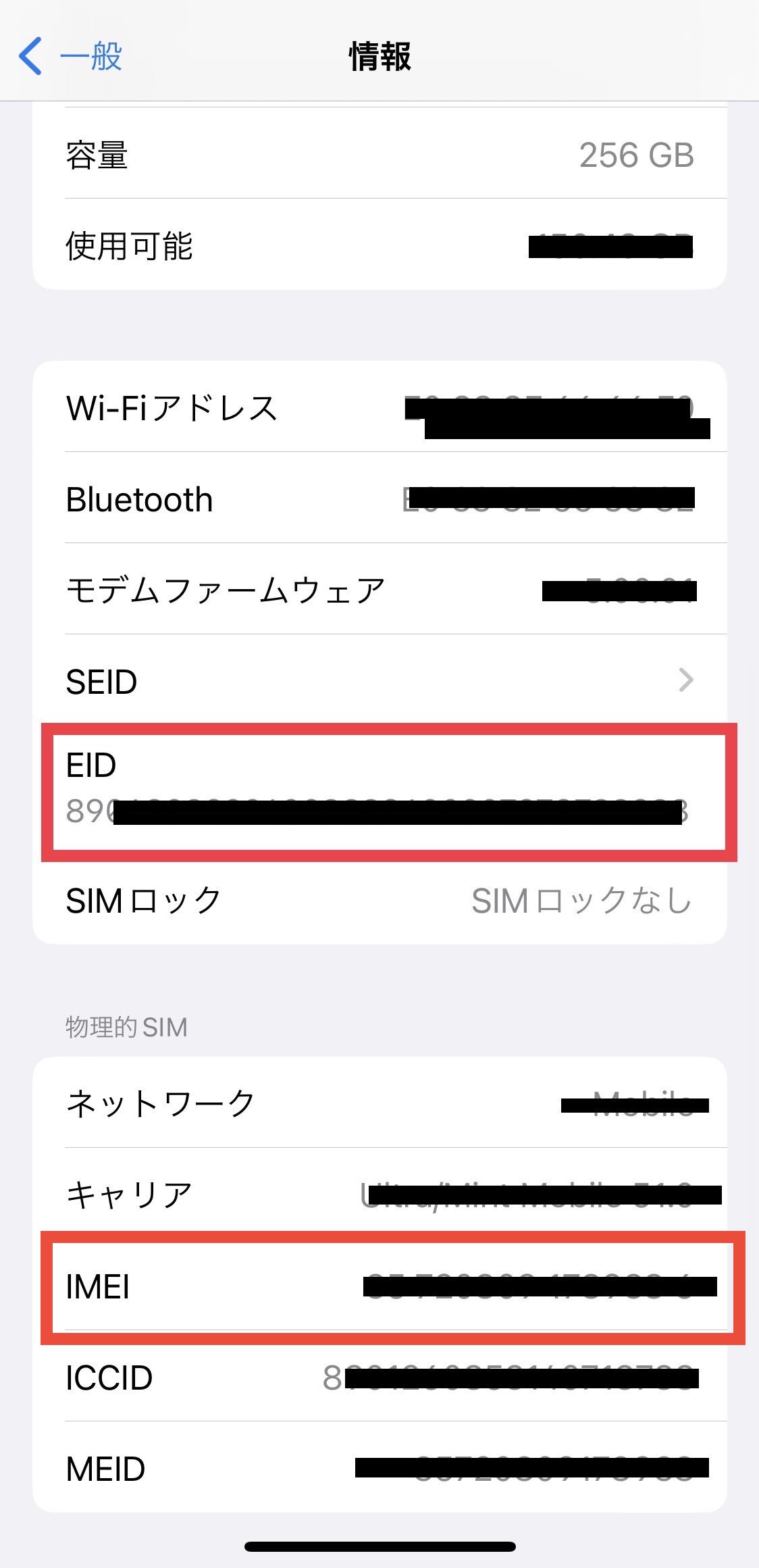
※If your EID is not displayed, your device does not support eSIM (digital SIM).
Was this article helpful?
That’s Great!
Thank you for your feedback
Sorry! We couldn't be helpful
Thank you for your feedback
Feedback sent
We appreciate your effort and will try to fix the article